

Table of Contents
Hippius, the distributed cloud platform operating on Bittensor Subnet 75, has introduced Hippius Media Offloader, a free WordPress plugin that moves images, videos, and documents from a website's server to its S3-compatible storage. Site owners can migrate an existing media library and automatically offload new uploads without leaving WordPress admin.
The plugin separates a site's media files from the server running WordPress. Hippius charges for the storage those files occupy, with pay-as-you-go pricing of $6 per terabyte per month and no egress fees when visitors retrieve them.
Built for Hippius by WordPress development agency I-Genesys, the Media Offloader connects through the standard S3 API rather than a proprietary SDK. Offloading happens through the normal WordPress step of uploading a file to the Media Library.
Moving an Existing Library Without Rebuilding Pages
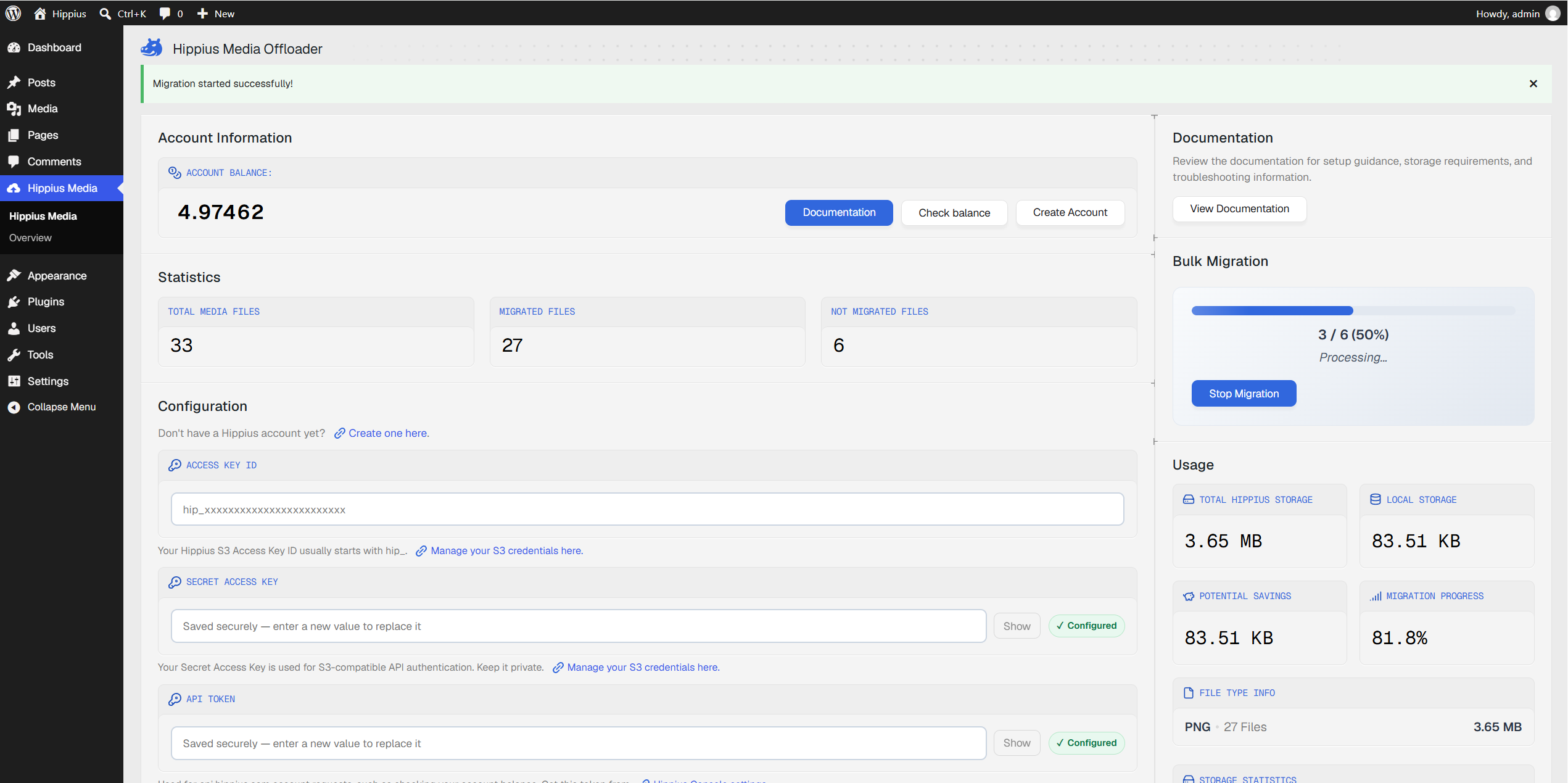
Bulk migration processes existing media in batches and continues in the background if an administrator leaves the page or closes the browser tab. The plugin replaces local media URLs in posts and pages with Hippius URLs, so the same content loads from external storage rather than the site's uploads directory.
Administrators can instead enable automatic migration only for new uploads and leave the existing library on the server. The plugin supports WordPress media types including images, video, audio, documents, and archives, and uses one configured bucket per site.
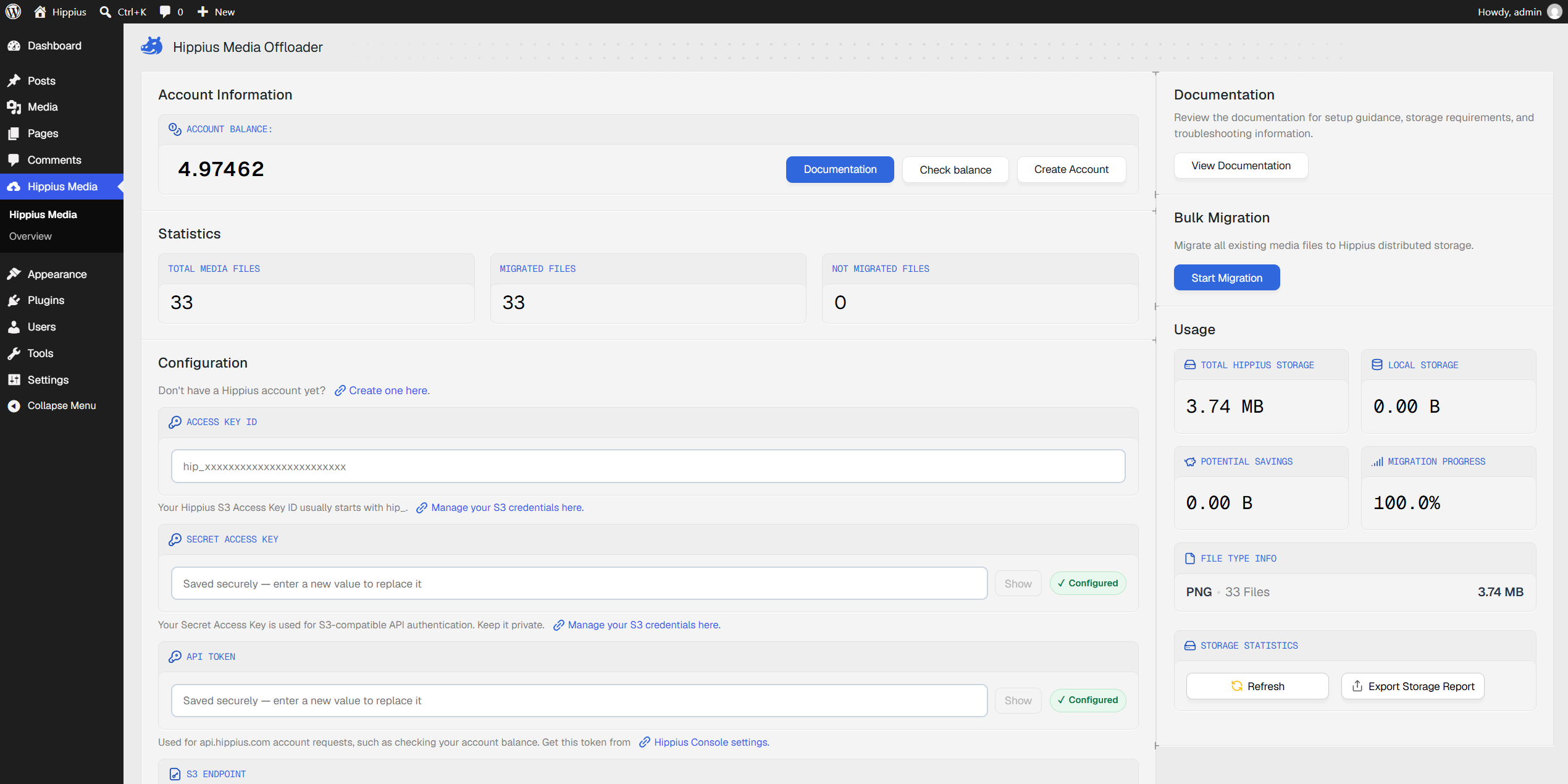
A Keep Local Files setting determines whether originals remain on the WordPress server after upload. Retaining them provides a fallback during the first migration; deleting them after successful upload frees local disk space. Hippius recommends verifying that migrated media loads correctly before giving up those copies.
The dashboard shows total, migrated, and unmigrated files, alongside Hippius storage usage, local disk use, and potential disk savings. Failed transfers can be investigated through error and debug logs and retried from the dashboard. An optional Hippius API token adds account-balance visibility; the S3 credentials alone are sufficient for the migration itself.
How the Distributed Storage Works
Behind the S3 interface, files are stored on Arion, Hippius' distributed storage engine. Its storage architecture uses Reed-Solomon erasure coding to produce 30 pieces: 10 data shards and 20 parity shards. Any 10 pieces can reconstruct the original file, so it survives even if 20 of the miners holding its pieces become unavailable.
Arion uses the CRUSH placement algorithm to distribute those pieces across different miners. Placement is computed from a cluster map rather than retrieved from a central file-location index. A rebuild agent monitors miner health, reconstructs missing pieces from those still available, and places replacements on other miners.
The WordPress plugin uses HTTPS for transfers, while Hippius S3 encrypts the stored data server-side. Storage miners hold encrypted pieces; the S3 gateway decrypts the data when it is downloaded. This is storage encryption, not client-side encryption before files leave WordPress, and publicly published media remains accessible to website visitors.
Uploaded files also receive a unique content hash recorded on the Hippius blockchain. That hash identifies file content separately from the media URL used to serve it.
Connecting WordPress to a Public Bucket
Setup begins with a funded Hippius account, an S3 Access Key ID and Secret Access Key, and a bucket created in the console. The plugin does not create the bucket automatically. Account balances can be topped up by card, TAO, Bitcoin, or USDC, so using the service does not require paying with cryptocurrency.
Inside WordPress, administrators open Hippius Media → Settings and enter their credentials, bucket name, and endpoint. The default is the Hippius S3 endpoint; European and U.S. regional endpoints are also available. The secret key appears only once when created and needs to be saved securely.
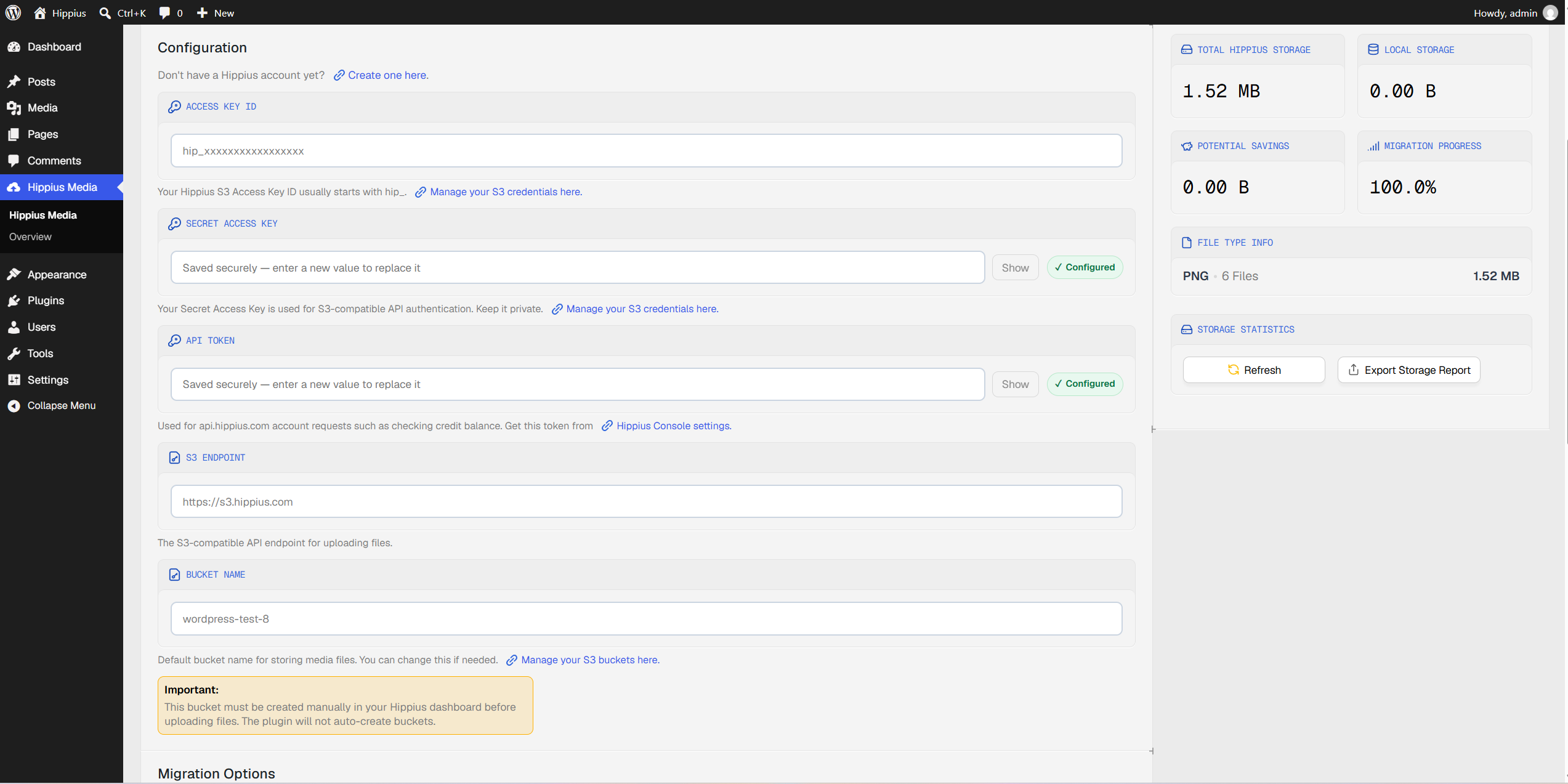
For ordinary public website media, the bucket must allow unauthenticated access. The plugin provides an explicit Make Bucket Public action, warns when the selected bucket is private, and includes connection and bucket-policy checks before migration. Administrators should use a bucket containing only material intended for public access.
The requirements are WordPress 5.0 or later, PHP 7.4 or later, and the cURL extension, with HTTPS strongly recommended. Hippius also shared a plugin link alongside its announcement; the software is available through the WordPress plugin directory.
Storage Costs, Delivery, and Returning to Local Files
Hippius' current S3 pricing charges $0.006 per gigabyte per month on pay-as-you-go usage, deducted hourly from the account balance. A 100 GB library therefore costs about $0.60 per month in storage. Larger monthly plans offer lower per-terabyte rates, while direct S3 retrieval carries no egress charge.
The offloader is not itself a content delivery network. Site owners can separately use Hippius CDN to cache files closer to visitors. That service has its own delivery and request charges, distinct from the storage product's free egress.
For agencies managing infrastructure across a team, Hippius also recently added individual logins and product-level roles through Shared Accounts. Those controls govern cloud administration; the WordPress integration itself connects using the configured S3 credentials.
The offloader moves media, not the WordPress database, so a full-site backup remains a separate task. Returning to local delivery also depends on retaining the files: deactivating the plugin restores WordPress' default uploads-directory behavior if local copies still exist, but it does not automatically download migrated files back from Hippius.